

Your website might be up and running, but are the APIs behind it working as they should?
From processing payments and managing customer accounts to connecting with third-party services, application programming interfaces (APIs) help power countless everyday online activities. When an API slows down, returns incorrect information, or stops working altogether, the consequences can include frustrated customers, interrupted transactions, and lost revenue.
That’s why effective API monitoring is essential. It helps organizations identify performance problems, detect errors, verify functionality, and address potential issues before they become costly disruptions.
But which metrics deserve the most attention?
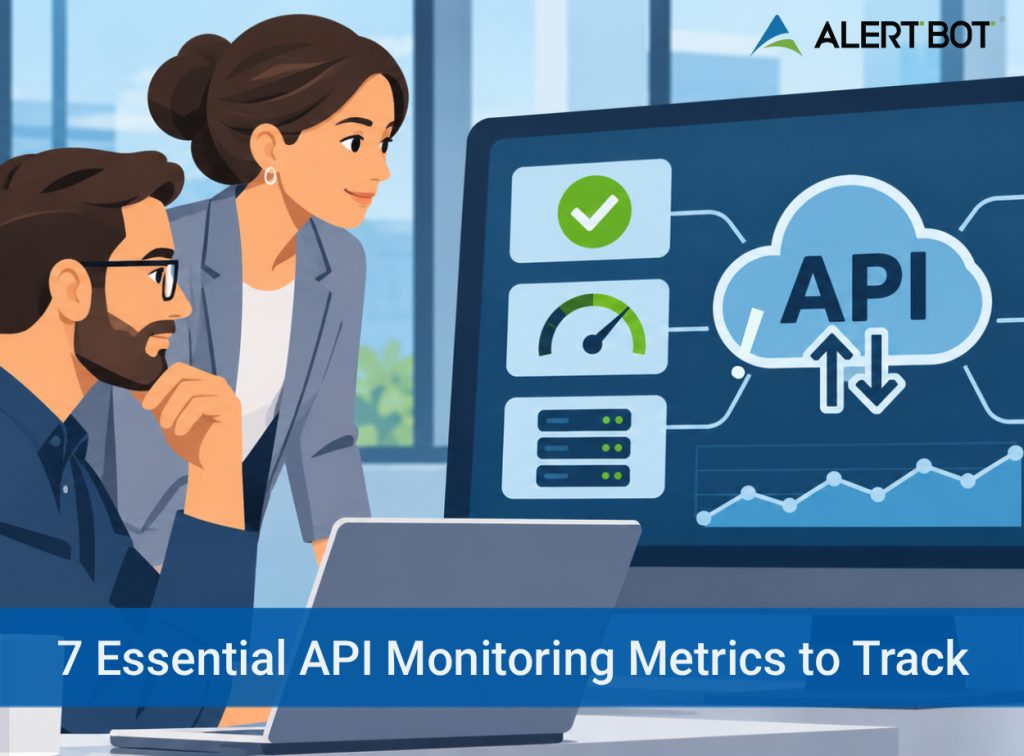
Here are seven important API monitoring metrics to track and what they can tell you about the health of your online services.
1. Availability and Uptime
Availability is one of the most fundamental API monitoring metrics. After all, an API that isn’t responding when it’s needed can disrupt critical business operations. Availability measures whether an API can successfully respond to requests, while uptime generally refers to how long a service remains operational.
Many service level agreements (SLAs) establish availability targets of 99.9% or even 99.99%. While those percentages sound reassuring, even brief interruptions can create significant problems for businesses that depend on reliable, around-the-clock service.
Regular monitoring helps organizations detect outages, measure availability, and evaluate whether service providers are meeting their commitments.
2. Response Time
An API doesn’t have to be completely unavailable to cause problems. Sometimes, being too slow is enough.
Response time measures how long an API takes to respond to a request. Excessive delays can negatively affect website performance, frustrate users, and interfere with time-sensitive transactions.
However, slow response times aren’t necessarily caused by the API itself. Network latency, overloaded servers, inefficient database queries, and other factors can contribute to delays.
Tracking response times over time, including unusually slow requests, helps organizations establish performance benchmarks, recognize potential bottlenecks, and investigate problems before they escalate.
3. Error Codes and Error Rates
When an API encounters a problem, error codes can provide valuable clues about what went wrong.
For example, HTTP 4xx status codes typically indicate problems with a request, such as invalid credentials or unavailable resources. Meanwhile, HTTP 5xx codes generally indicate server-side failures.
Monitoring the frequency and types of errors can help reveal recurring problems, unexpected changes, or issues with third-party integrations.
But there’s an important catch: Not every API problem produces an HTTP error code. An API may return a successful response while providing incomplete, inaccurate, or otherwise unusable information.
That’s why error monitoring should go beyond simply checking whether a request succeeded.
4. Response Data Validation
Just because an API responds doesn’t mean it’s working correctly.
Consider an e-commerce website that retrieves product prices from an API. If that API returns outdated or incorrect pricing information, the website could display inaccurate prices even though the request technically succeeded.
Response data validation helps verify that an API returns the expected information in the appropriate format. Depending on the API and monitoring tools, this may include checking required fields, expected values, response structures, or other important details.
By validating responses rather than relying solely on status codes, organizations can identify problems that basic availability monitoring might miss.
5. Transaction Success Rate
Many websites and applications depend on multiple APIs working together to complete a single transaction.
Consider an online purchase. A customer might need to log in, retrieve product information, calculate shipping costs, and process a payment before completing checkout. If one of those steps fails, the entire transaction could be interrupted, even if the website itself remains accessible. Monitoring transaction success rates helps organizations understand whether important business processes are functioning as expected.
Testing complete user journeys—such as account logins, registrations, and shopping cart checkouts—can also help reveal problems that individual API checks might not detect.
6. API Consumption and Request Volume
API consumption refers to how frequently an API is used, often measured in requests per second or requests per minute.
Understanding request volume helps organizations recognize usage trends, anticipate periods of heavy demand, and identify unexpected spikes or drops in activity. For example, a sudden increase in API traffic could strain available resources or trigger rate limits, potentially causing slower responses or failed requests. Tracking request volume alongside performance and error metrics can provide valuable insight into how an API behaves under changing workloads.
7. Memory and CPU Usage
APIs depend on underlying infrastructure to process requests, and resource utilization can play a significant role in their performance.
High CPU or memory usage on servers hosting APIs may indicate resource constraints, inefficient processes, or increasing demand. Although high utilization doesn’t always indicate a problem, sustained resource pressure can contribute to slower responses, instability, and failed requests.
Monitoring CPU and memory usage through appropriate infrastructure monitoring tools can help IT teams investigate performance issues and determine whether additional resources or optimization are necessary.
Putting API Monitoring Metrics to Work
While each of these metrics provides valuable information, no single measurement tells the whole story.
An API might be available but slow. It might respond quickly but return incorrect information. Or it might function perfectly on its own while an important customer transaction continues to fail.
The most effective monitoring approach considers availability, performance, accuracy, and the overall user experience together. And when something goes wrong, detecting the problem quickly can make all the difference.
AlertBot: Take the Guesswork Out of API Monitoring
Keeping your APIs and web services running reliably doesn’t have to be complicated. AlertBot provides easy-to-use API and web service monitoring to help organizations track availability, monitor performance, and receive alerts when problems occur.
And because API performance is only part of the picture, AlertBot also offers advanced website monitoring using its TrueBrowser® technology. This allows businesses to monitor important multi-step processes, including logins, registrations, and shopping cart checkouts, using real web browsers.
With detailed performance reporting, failure alerts, and monitoring from multiple geographic locations, AlertBot helps organizations identify issues and respond before they turn into larger disruptions.
Ready to take a more proactive approach to monitoring?
Start your 14-day free trial of AlertBot today!
There’s nothing to install, no credit card required, and you can get started in minutes.